
ASK · Teachers
Prepare your first Empathy week in ASK
Prepare your Empathy week
Screen 1 of 4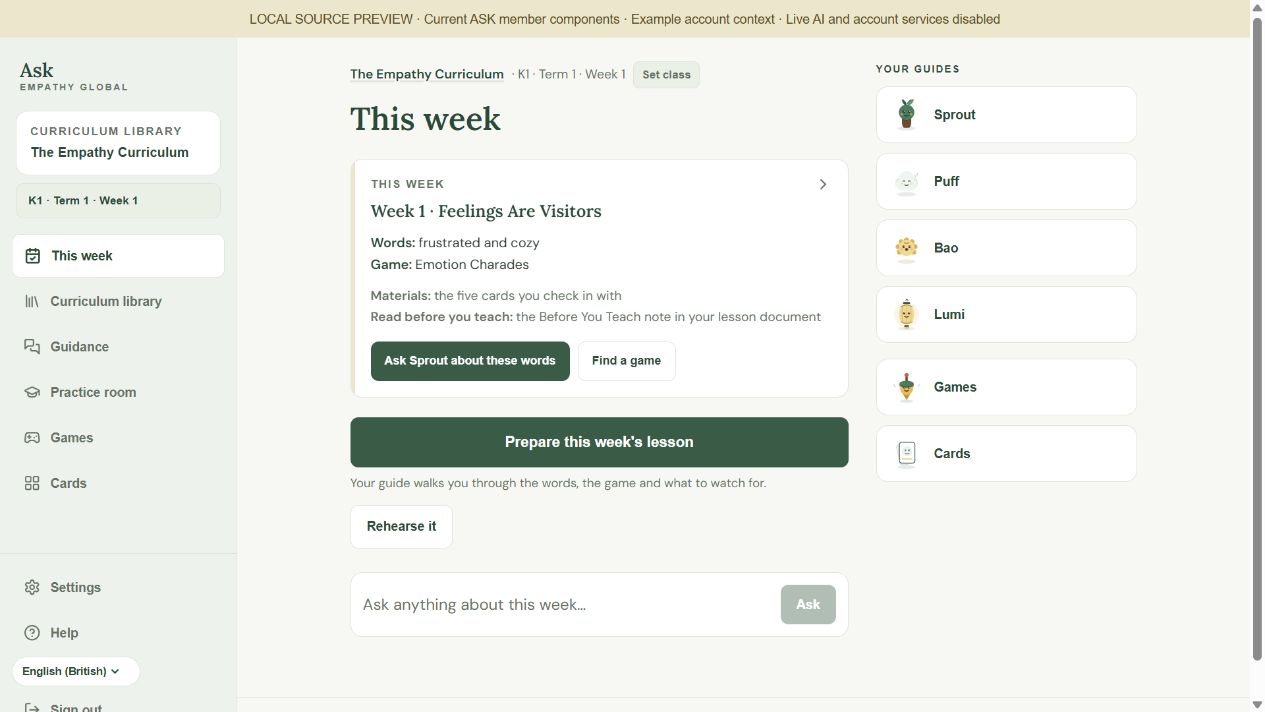
Choose a number to see the detail.
Match the curriculum, level, term and week.
Check the words, game and original lesson document.
Review the suggested question, then select Send.
Full written instructions
Check the week, choose a guide and prepare one useful teaching move.
Before you begin
Use your school-connected teacher account and have the current lesson document nearby. The Empathy Curriculum must be available to your account.
Step by step
- Choose your curriculum. Open Curriculum library and choose The Empathy Curriculum. If it is unavailable, follow the access message or ask your school owner. Choosing it does not change your permissions.
- Set your class. Choose N1, N2, K1 or K2, then the term and week your class is teaching. Choose an icon and select Let’s go. Check the context at the top of the screen.
- Take a one-minute look at This week. Read the lesson title, words and game. Find the matching lesson document and its Before You Teach note. This card helps you orient yourself; use the lesson document for the complete session.
- Ask for the help you need. Select Prepare this week's lesson. Read or edit the question in Lumi, then select Send. For vocabulary, use Ask Sprout about these words. Check any source reference and ask one short follow-up.
- Try the words before class. Select Practice room, or Rehearse it from This week. Read the introduction, choose the fictional child's age and card, and try asking, describing and waiting. Review the feedback after the session. This is teacher rehearsal, not a real-child assessment.
- Get your resources ready. In Games, filter by term and moment and read the instructions beside the game's name. In Cards, select up to five for the check-in you are preparing. The card images have no fixed feeling answers. Keep Cards open while using your selection. Leaving or refreshing clears it.
Check the result
Your curriculum, level, term and week match your lesson, and you have chosen one practical next action.
A useful check
Use the original lesson document and its Before You Teach note for the complete session. Weekly preparation opens an editable question that you review and send.