
Empathy Global / Enrol
school accessYour next school visit starts with one good invitation.
Make a clear invitation, share it somewhere relevant and help an interested family take the next step.
For school owners and people helping with marketing through accounts authorised for the school.
Enrol marketing and inquiries
Explore tools for preparing marketing, organizing family inquiries and planning follow-up.
Loading this player connects to YouTube. Playback starts only when you press play.
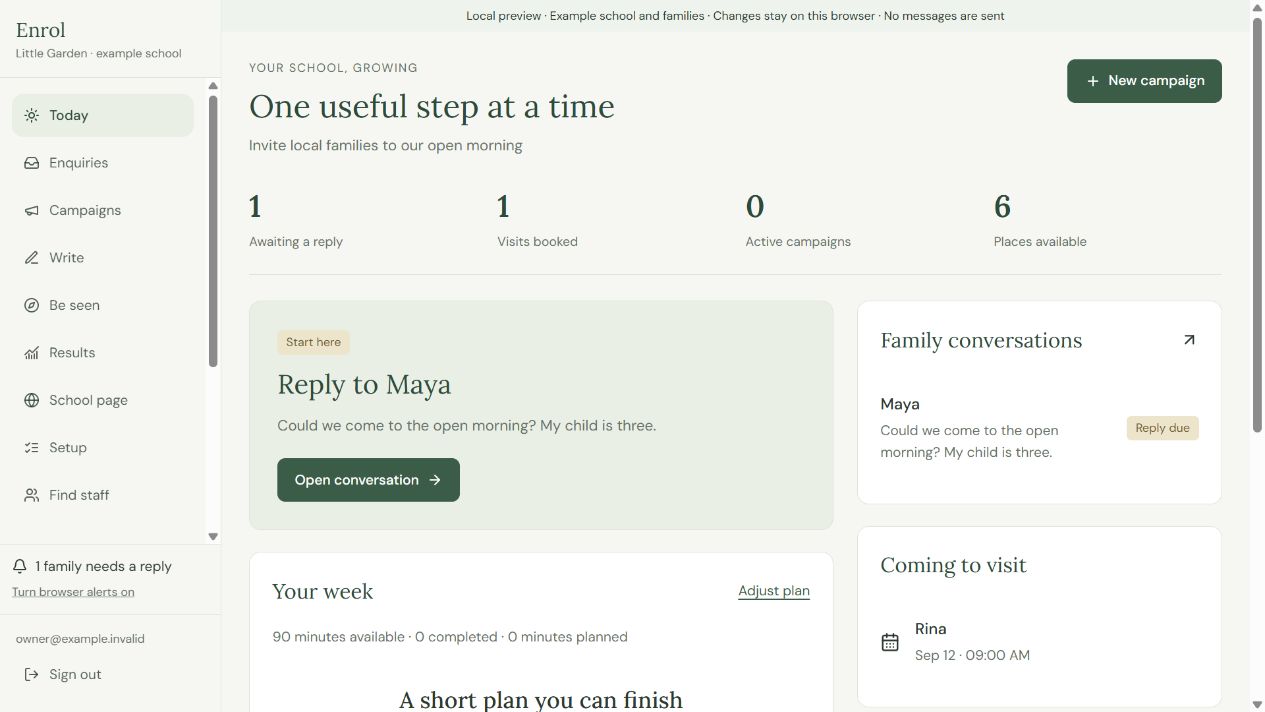
Plan an invitation, prepare materials and follow up with interested families.
Start with the school you actually run
Set out the neighbourhood, parents’ language, age range, available places, fees and what you offer. Describe the details you are proud of. Enrol uses this context for drafts and suggestions, so keeping it accurate makes the rest of the work more useful.
Get the basics of being found in place
Follow the setup guides for your school’s online presence, including a Google business listing, WhatsApp Business and Facebook. The app helps you prepare the work; you complete the steps and verification in the relevant service.
Share where it makes sense
Use Be seen to find a relevant local community or partner and read its rules. Add the place to the campaign’s Share & track, select its tracked link, then share the reviewed material yourself and record I shared this.
Make one useful invitation
Use Campaigns to collect the purpose, audience, date, place and reply route. Make a poster or social image in the format you need, review it and download the file. Saved writing remains available in Writing library.
Write a post or reply you can stand behind
Choose the kind of message, set a language and add the context. Review and refine the draft, save it if useful, then copy it to the channel you use. The Parent questions area keeps reusable answers for common questions and questions you add yourself.
Give parents one clear school page
Prepare a description, photographs and contact information, then review the page before publishing. Share its link in the places you use. The enquiry form gives interested parents a way to contact the school; it is separate from automatic social posting.
Keep the next family conversation visible
Read the family conversation in Enquiries. Review and send the reply through the appropriate contact app before recording I sent this. Agree a visit before Book visit and record attendance after the visit. Use Results to review the recorded sources and outcomes.
Find the people who will work with you
Prepare a role, write an advert, think through where to recruit, and build interview questions. Hiring support also helps structure questions about local requirements and a working agreement. Check the actual requirements and final agreement with appropriate local advice.
Keep the opening plan close
The Starting a school checklist connects early decisions to practical tasks. Return to it as the premises, people, learning plan and family interest develop. You remain responsible for the claims in every public message and for sending it.
Your first steps
- Choose one useful goal in Goal & school details.
- Create the invitation in Campaigns and prepare a material.
- Share it in a relevant place and record the real action.
- Follow the family conversation and review Results.
Questions about Enrol
Does Enrol post to groups for me?
You choose the place, follow its rules and share the reviewed material yourself.
Does copying a reply send it?
Send it through your contact app, then record I sent this in Enrol.
Is a saved school-page draft public?
A saved draft stays separate. Preview it and use Publish when it is ready.
Can our marketing team use Enrol?
Access depends on current school permissions. Ask the owner which individual accounts are supported.
Can Enrol help with recruitment?
Find staff supports role preparation, adverts, recruitment planning and interview questions. Review the role pack before publishing through your chosen channel.
Detailed guides for Enrol
Your next school visit starts with one good invitation
Make a clear invitation, share it somewhere relevant and help an interested family take the next step.
Step-by-step guide →Complete the online presence checklist
Work through the basics of making the school findable.
Step-by-step guide →Find a useful place to share your invitation
Choose local communities and partners that fit your school and your invitation.
Step-by-step guide →Draft a post invitation or reply
Prepare words you can review and send yourself.
Step-by-step guide →Prepare reusable answers for parents
Keep useful answers to the questions families ask most often.
Step-by-step guide →Prepare and publish your school page
Give parents one place to read about the school and contact you.
Step-by-step guide →Help an interested family take the next step
Keep the question, reply and next agreed action together.
Step-by-step guide →Verify an Enrol export in Beacon
Use the export carefully when the family is ready for school records.
Step-by-step guide →Find and prepare a new staff role
Organise recruitment before you publish an advert.
Step-by-step guide →Use the Starting a school checklist
Keep the opening work organised across decisions and tools.
Step-by-step guide →Sign in or recover your Enrol account
Return to the account linked to your school.
Step-by-step guide →Choose a practical marketing goal
Match the work to the school places and time you actually have.
Step-by-step guide →Create a clear school invitation
Bring one invitation and its materials together in a campaign.
Step-by-step guide →Make a poster or social image
Prepare one readable material for your school invitation.
Step-by-step guide →Share a campaign and record the placement
Keep each real sharing action connected to the campaign.
Step-by-step guide →Review your school invitation results
Use recorded family interest to choose the next useful action.
Step-by-step guide →Return to saved school writing
Find useful wording and adapt it for the next invitation.
Step-by-step guide →