
Enrol · School owners and authorised marketing teams
Your next school visit starts with one good invitation
Find your next useful action
Screen 1 of 8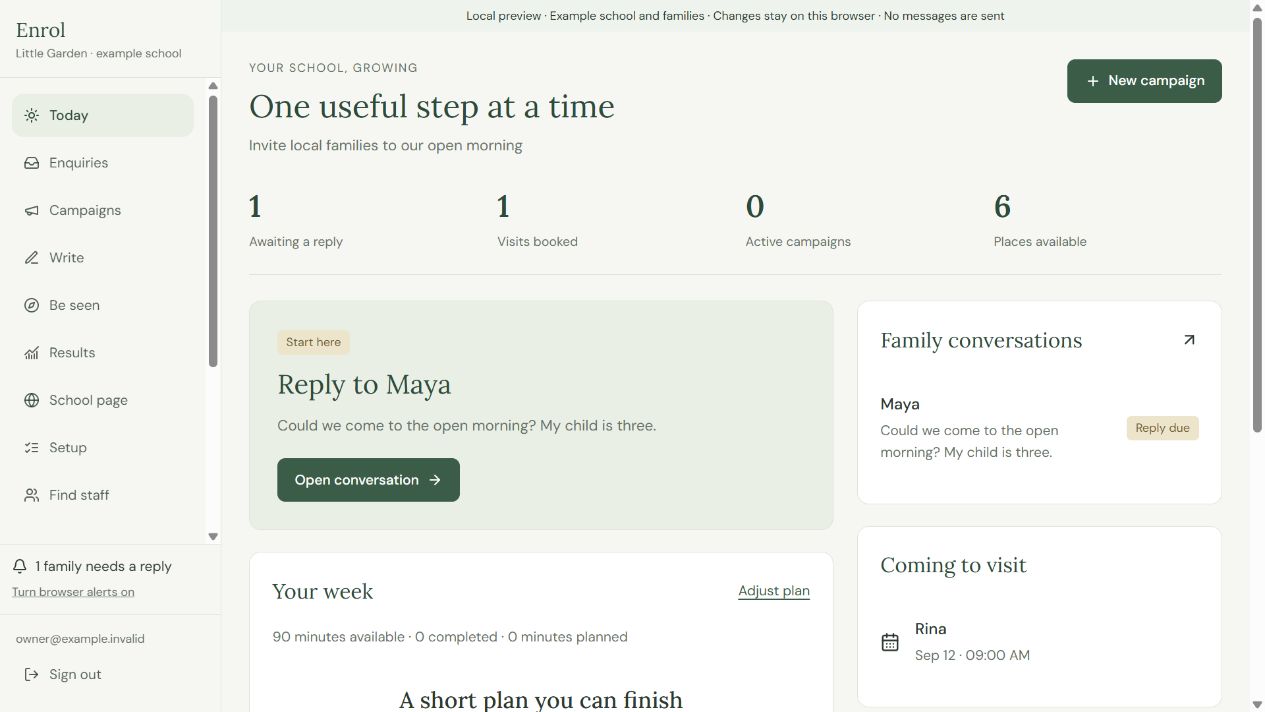
Choose a number to see the detail.
Open the waiting conversation and read the family's question.
Adjust your plan to the time you actually have.
Create a campaign around one clear reason to visit.
Full written instructions
Make a clear invitation, share it somewhere relevant and help an interested family take the next step.
Before you begin
Use the school account you are authorised to use. Ask the owner about access before you begin.
Step by step
- Open Today → Goal & school details. Check the ages, places, neighbourhood and time you have this week. Save, then use Suggest actions to choose one manageable task.
- Open Campaigns → New campaign. Add the invitation, intended families, real date and place, and how to reply.
- Choose Make a poster or social image. Review its text, contact route and placement, then download the PDF or PNG.
- Open Be seen → Find a place, read the community’s rules and save its link. Add it under Share & track, select the tracked link and share the material yourself before I shared this.
- Open the family in Enquiries. Review and send the reply through your contact app before I sent this. Agree a time before Book visit and record attendance after the visit.
- Open Results and compare recorded enquiries, booked visits, attendance and enrolments by source. Choose one sensible next action for the coming week.
Check the result
You have a clear invitation, an appropriate place to share it and a useful next step for interested families.
A useful check
Mark an action shared or sent after completing it. Keep unknown sources, time or cost unknown until you have the information.