
Beacon · School administrators
Follow a family conversation across the apps
See the same family question and teacher reply in Beacon, Teacher and Parent.
Before you begin
Use an account authorised for the child’s school and conversation. This example follows Alex, Oliver and Jamie.
Screen 1 of 6
Choose the right message channel
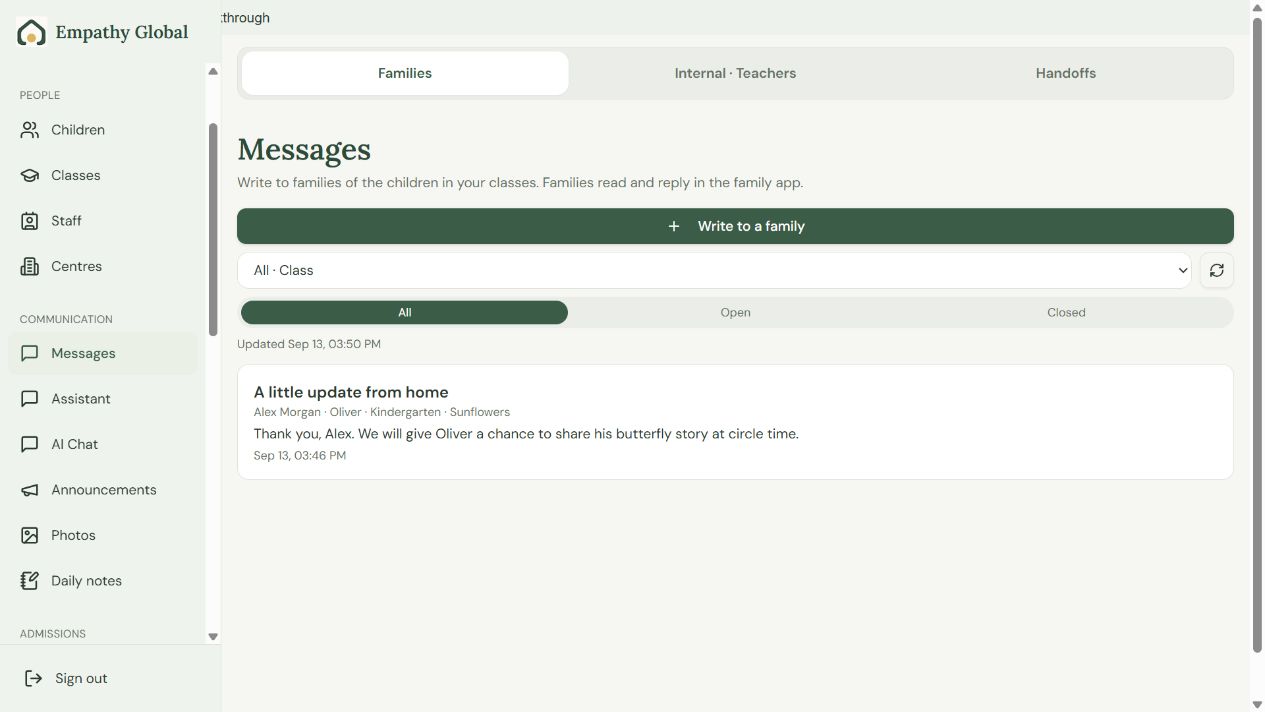
Choose Families
Use this channel for conversations families can read in Parent.
Keep office messages separate
Internal · Teachers holds staff conversations. Handoffs groups conversations needing help.
Screen 2 of 6
Check the family and conversation before replying
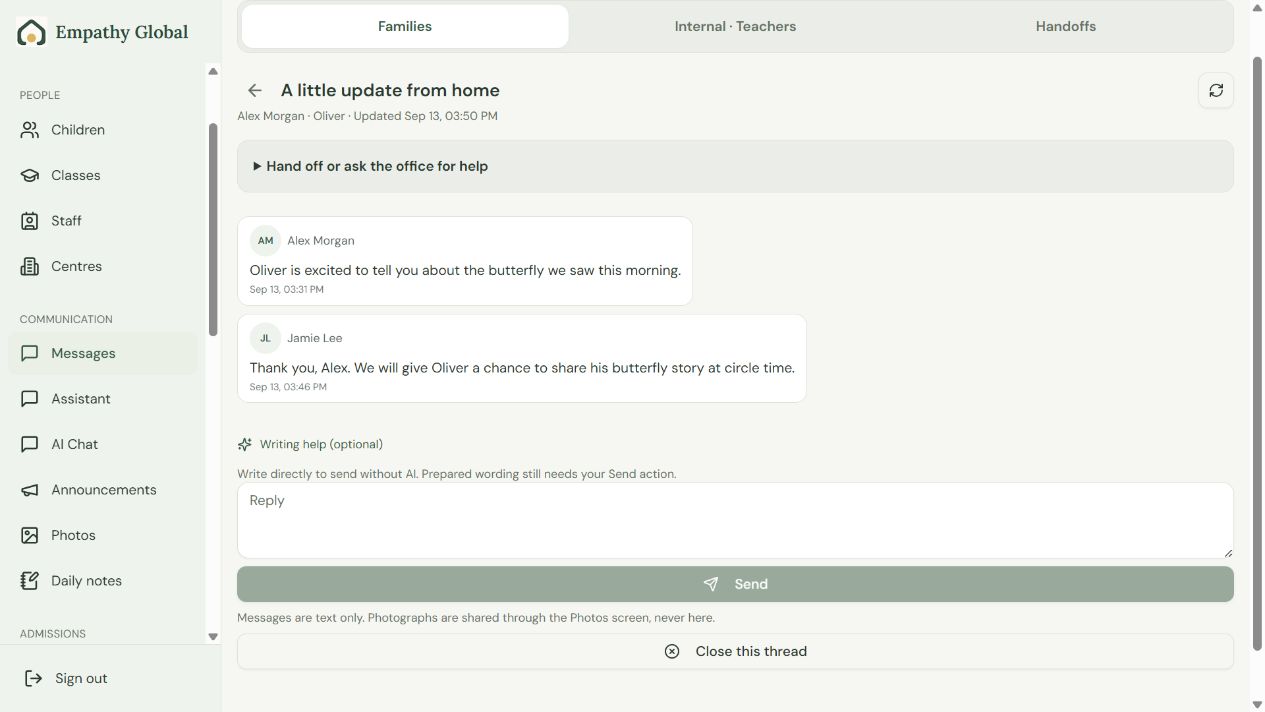
Check the child and family
Read the earlier exchange before replying.
Write and Send
Review any prepared wording, then choose Send. The shared conversation keeps the replies together.
Screen 3 of 6
Review your reply before sending
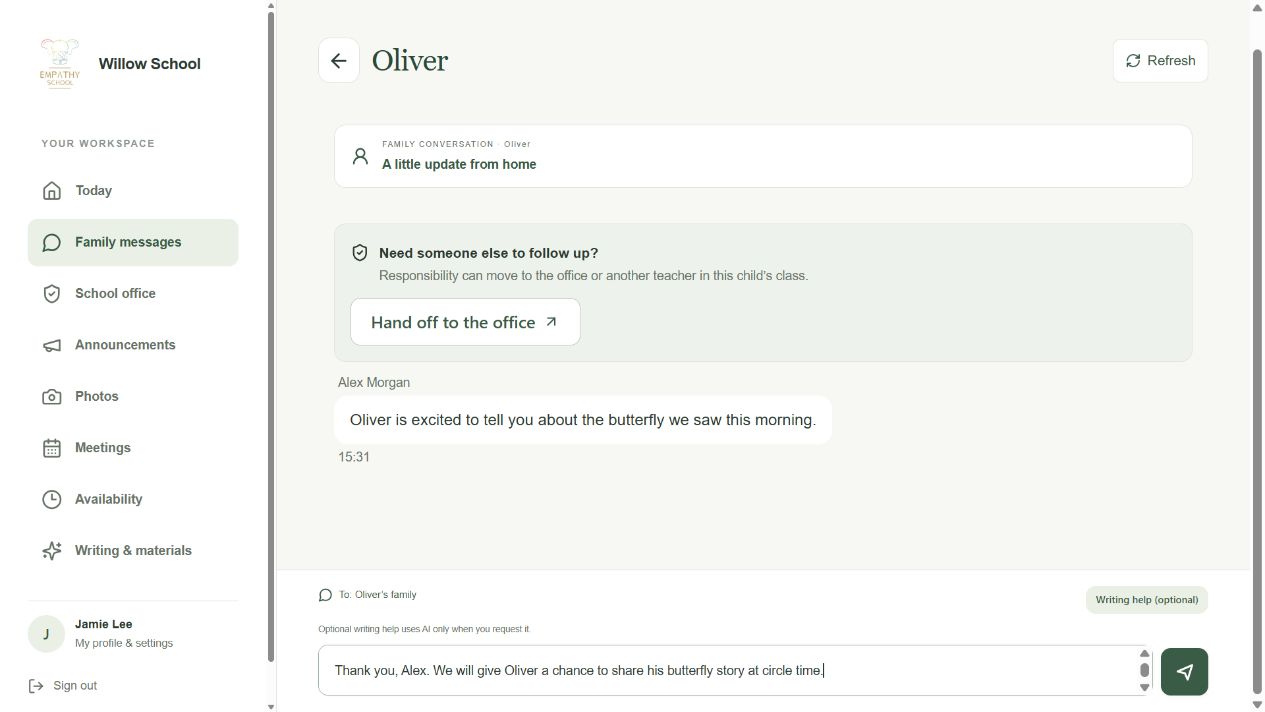
Check the family
The child and conversation identify the family who will receive your reply.
Write, then Send
Keep the reply in this conversation so the family can follow it.
Screen 4 of 6
Check the reply in the conversation
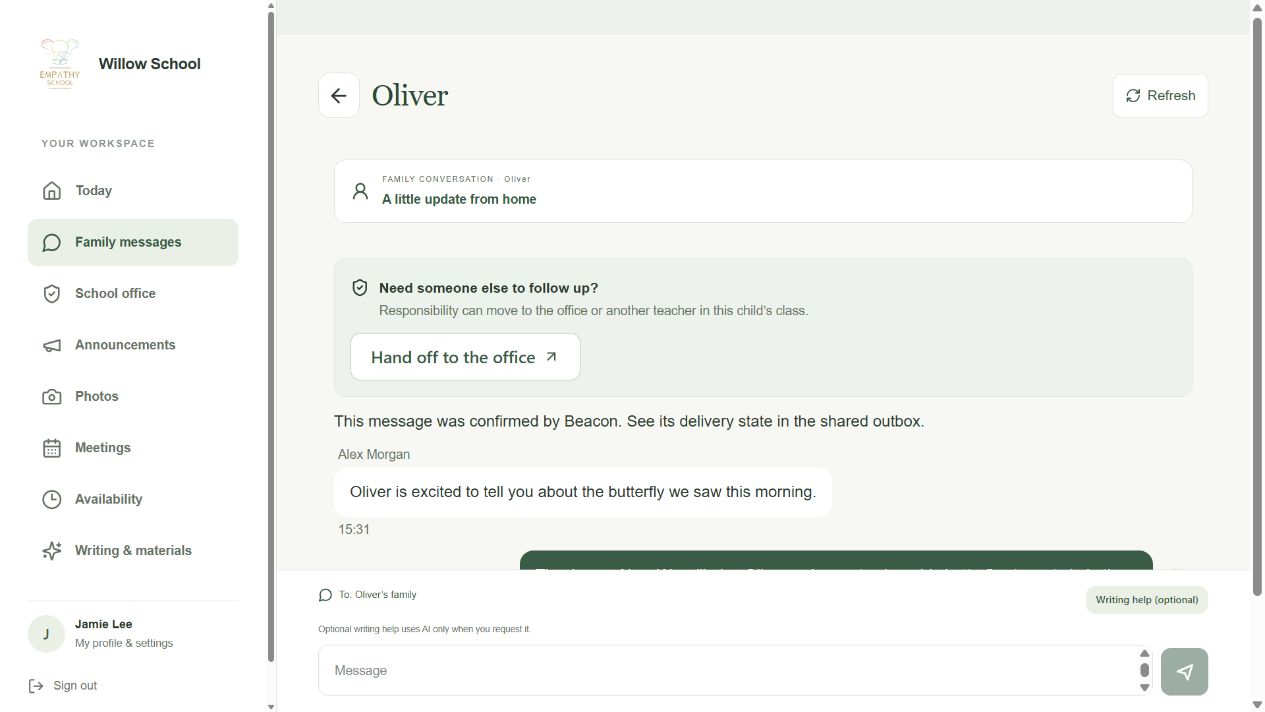
Find your reply
Your words should appear in the conversation.
Check delivery confirmation
If the app is still checking delivery, keep the original message and check its status.
Screen 5 of 6
Read and reply in the same conversation
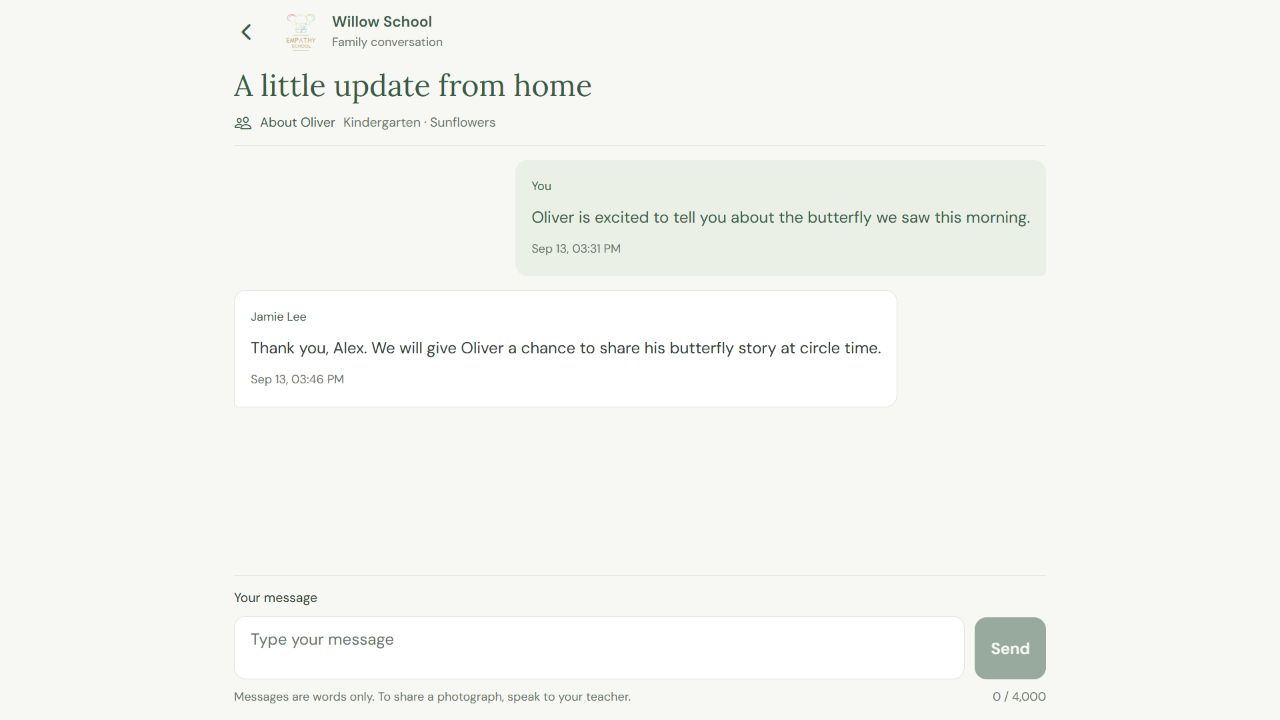
Read the teacher’s reply
The example shows the same butterfly conversation in both apps.
Continue the conversation
Type in Your message and choose Send when ready.
Screen 6 of 6
Keep office requests in the office channel
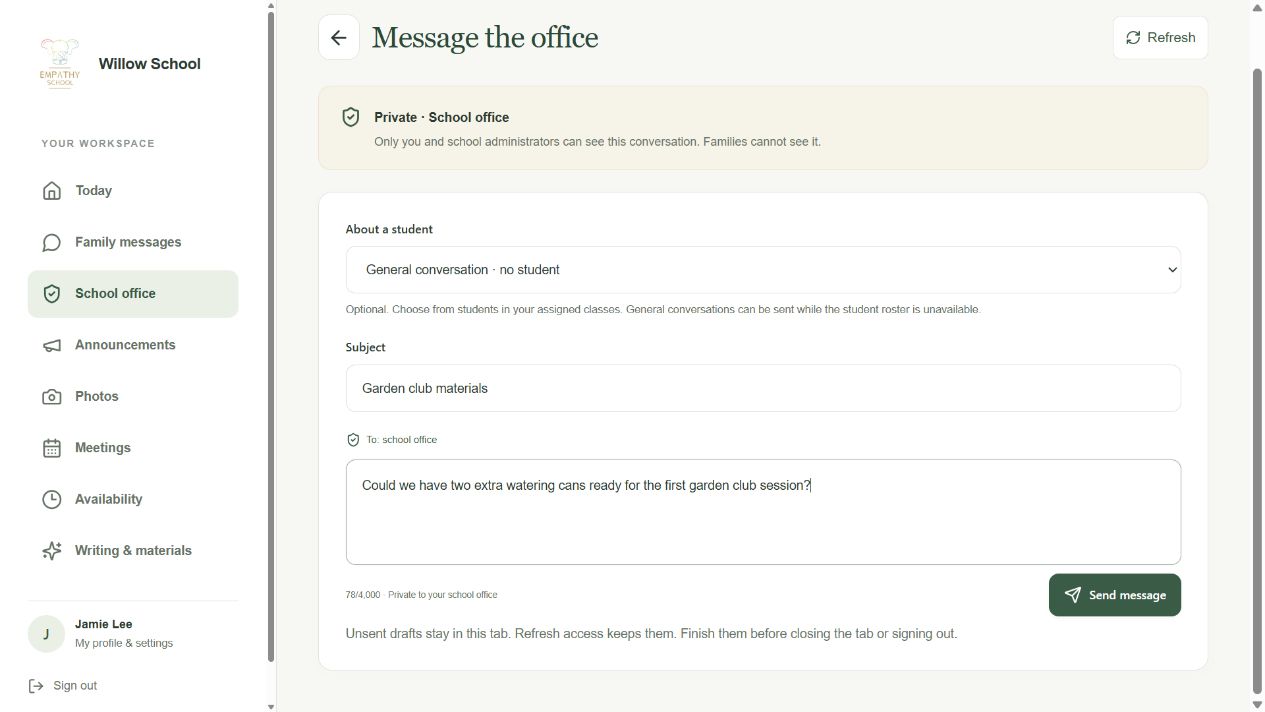
Check To: school office
Choose a student for context only when useful; a general conversation is also available.
Write the request and Send
This channel is visible to you and school administrators.
Check the result
The reply appears in the same family thread. An office request uses a separate channel that families cannot see.
If something looks different
The send is still being checked
Keep the original conversation and check its delivery or outbox status. Refresh once the connection returns. Do not create a second copy while the first send is uncertain. If it stays unresolved, give the school the displayed message reference.
I cannot see the family
Check the child, school and your assigned class. Ask the office to review the connection.
Unread and awaiting reply are different
Unread means a conversation has new content to read. Awaiting reply means someone still needs a response; opening a conversation is not the same as answering it.
Screens show released apps with example school and family records. Instructions checked 13 September 2026. Beacon: 13 September release; Parent 1.1.8; Teacher 2026.09.13.1.