
Beacon · School administrators
Invite teachers and assign classes in Beacon
Connect the right account, choose its school role and check the teacher can open the assigned class.
Before you begin
You need permission to manage staff for the correct school and centre. Check for an existing staff record before adding another.
Screen 1 of 5
Check account access separately from the staff record
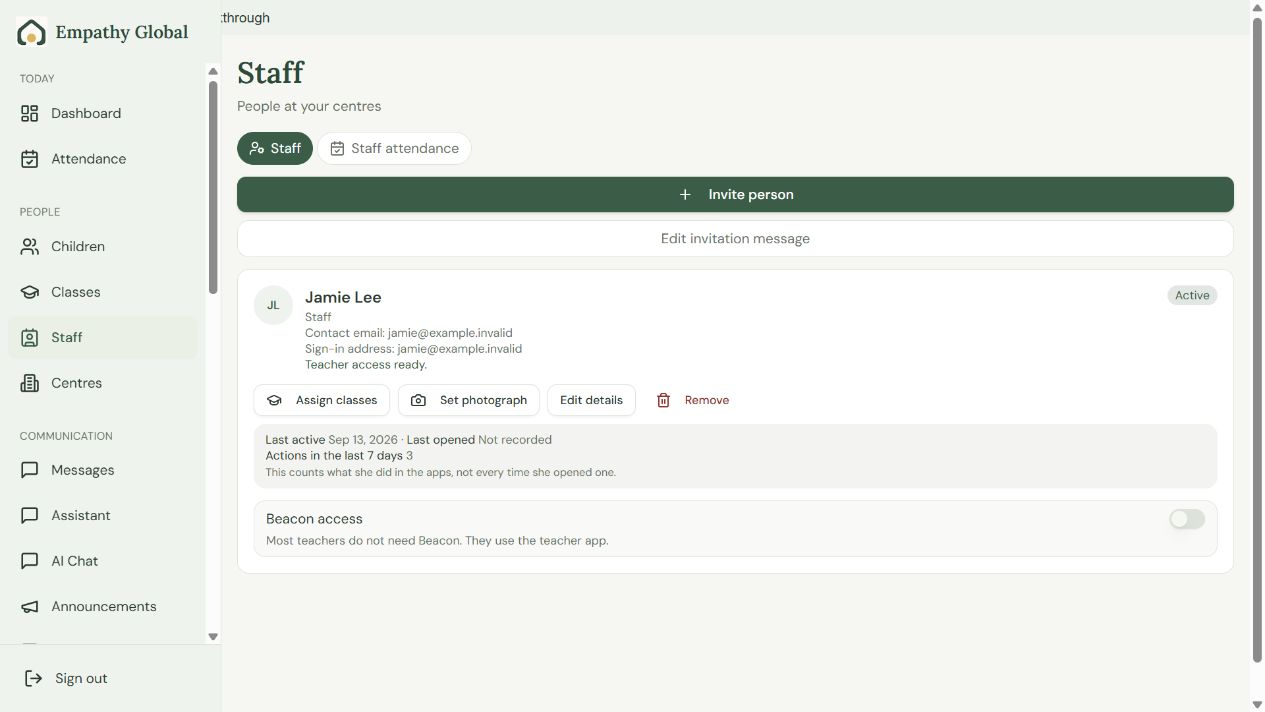
Check the existing person first
Read Contact email, Sign-in address and the access status before inviting again.
Assign the right classes
Use Assign classes. Teacher app access and Beacon access are separate choices.
Screen 2 of 5
Choose the school role and invitation address
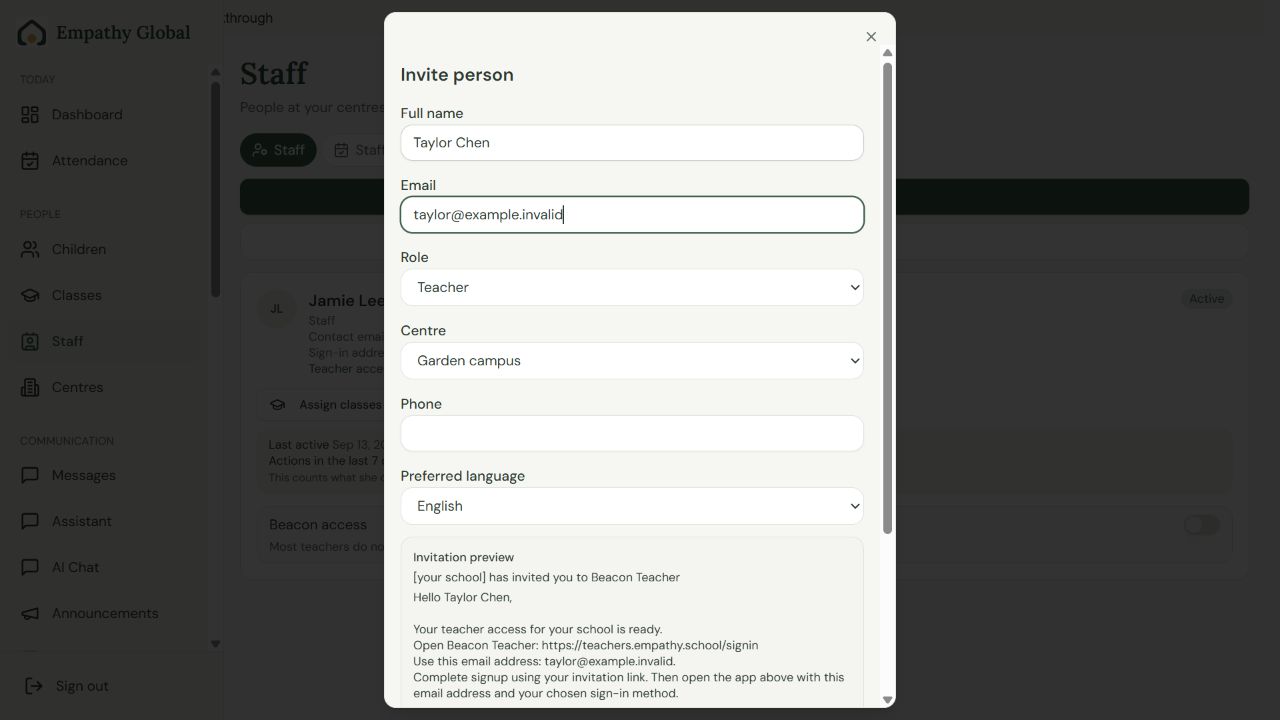
Enter the person’s details
Use the intended sign-in email, school role and centre.
Review the invitation
Save keeps the record; Save and invite also starts the invitation process. Read the returned account status.
Screen 3 of 5
Assign only the classes this person teaches
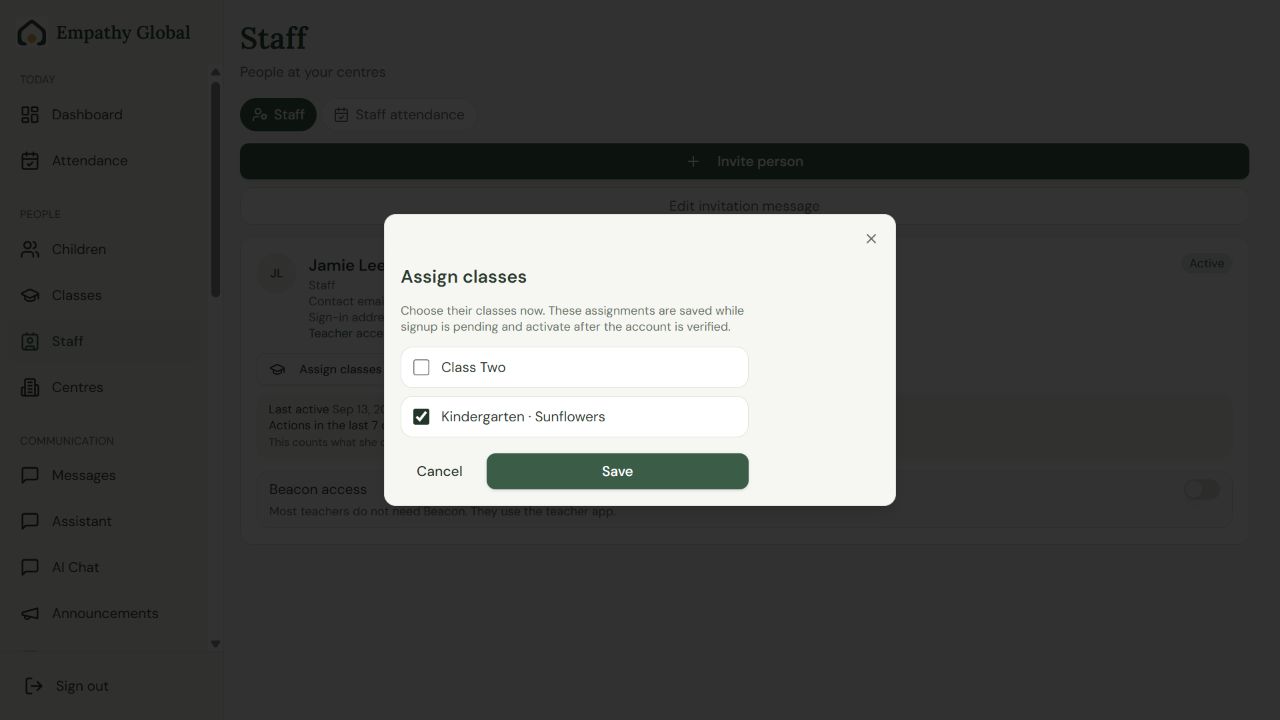
Select only their classes
Check the classes this person actually teaches.
Save the assignments
Pending assignments activate after the account is verified. Ask the teacher to check Today.
Screen 4 of 5
Use the teacher account your school connected
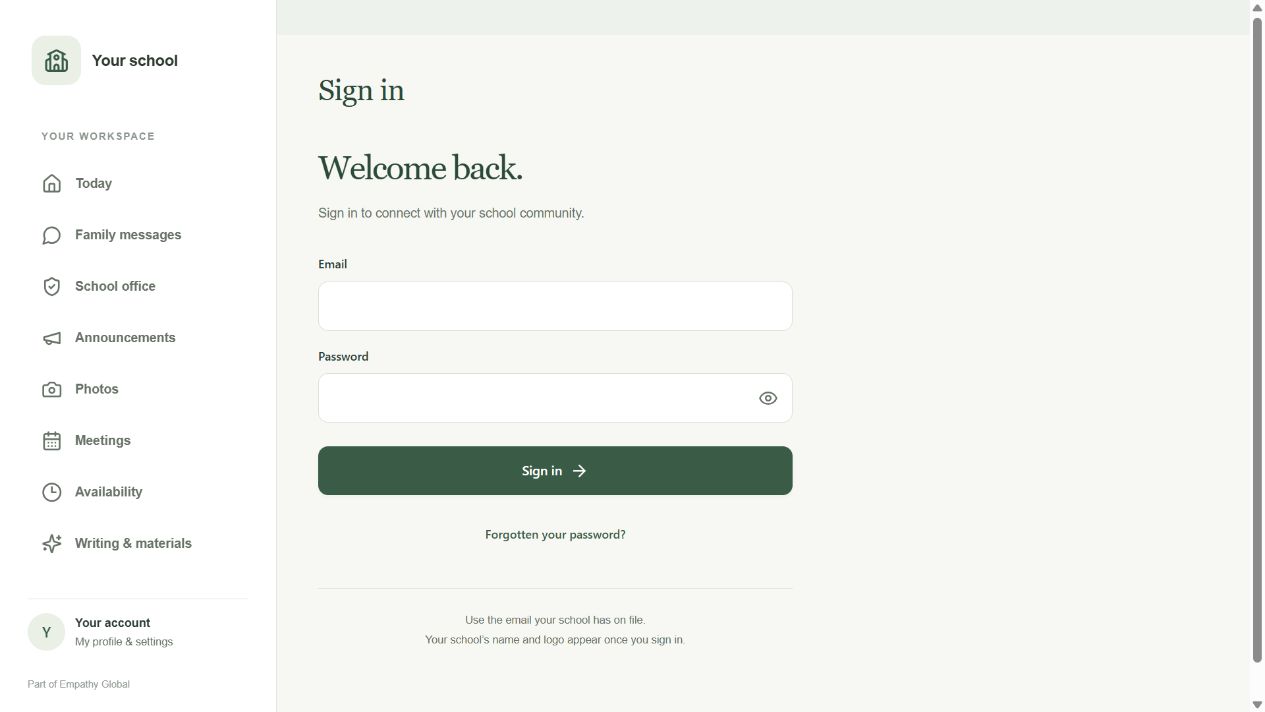
Use the school’s sign-in address
Finish an invitation first if this is a new account, then open Teacher.
Sign in with your usual method
Use Forgotten your password? for password recovery. Ask the office if your access is missing.
Screen 5 of 5
Open your assigned classroom
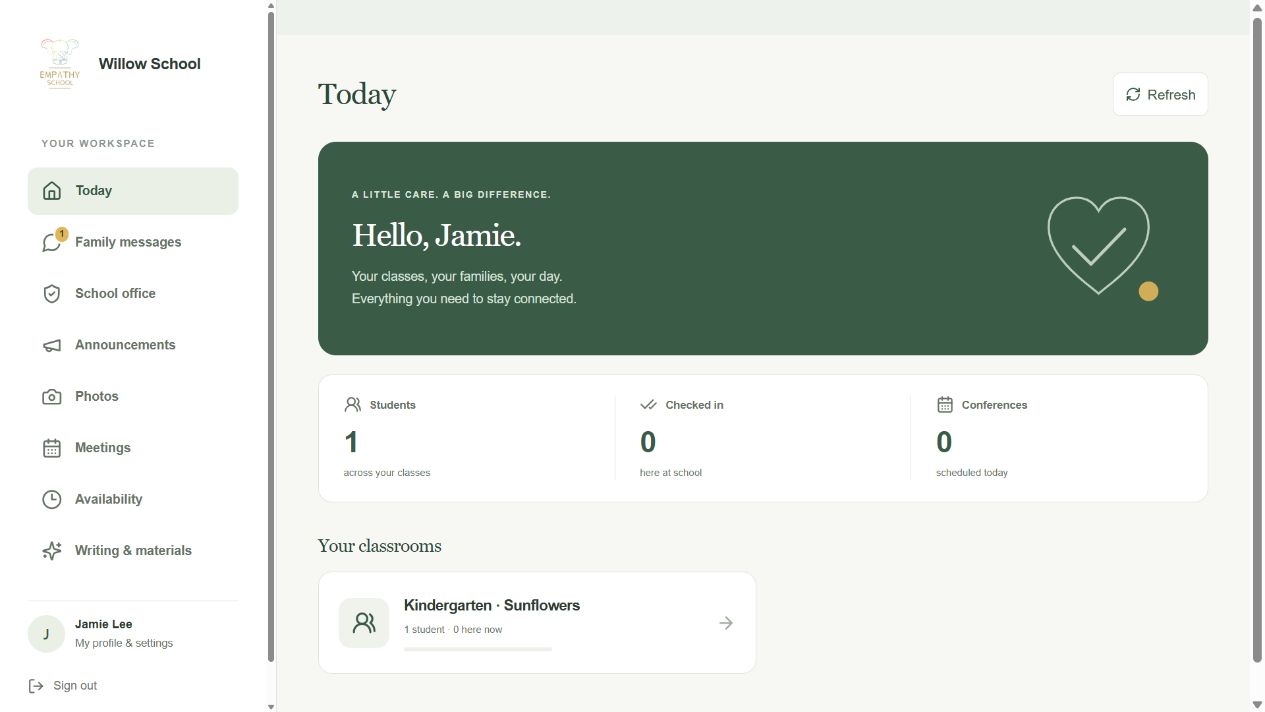
Check your school
Your school name and your own profile should appear.
Open your assigned class
Choose a class in Today to see its children and attendance.
Check the result
Beacon shows the person’s account status separately from their staff record. The teacher can sign in and open the intended class.
If something looks different
My child or class is missing
Check the school and sign-in email first. Ask the school office to check the family link or staff class assignment. Creating another account will not correct an assignment.
I am both a parent and a teacher
Open Parent for your own family and Teacher for your assigned classes. Ask the office to connect both roles to the appropriate account; one role does not automatically grant the other.
An invitation is pending
A saved record or prepared invitation is not proof of delivered email or completed signup. Read the account status, confirm the intended address and ask the person to finish their invitation.
Does a teacher need Beacon access?
Most teachers use Teacher. Grant Beacon access only when their school responsibilities require it. Platform super-admin access is a separate privileged task.
Screens show released apps with example school and family records. Instructions checked 13 September 2026. Beacon: 13 September release; Parent 1.1.8; Teacher 2026.09.13.1.